

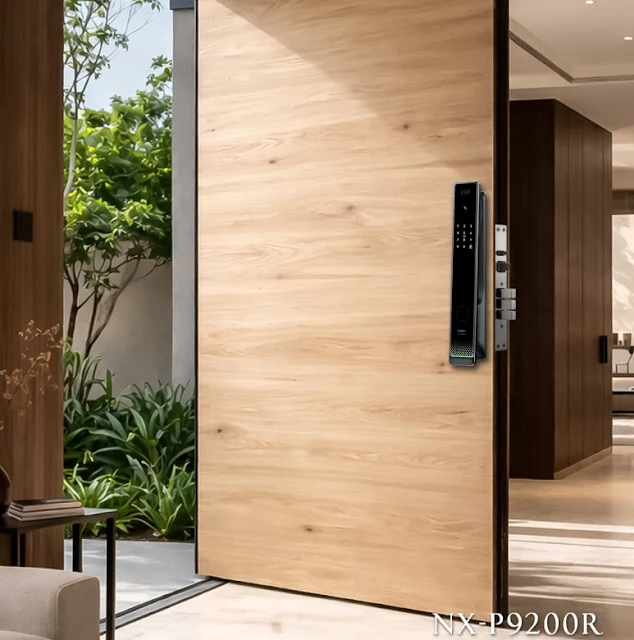
A smart lock replaces the traditional key with digital access. Instead of carrying a physical key, you unlock your door using a PIN, fingerprint, smartphone app, card, or, on newer models, your face or palm vein.
The hardware looks similar to a conventional door lock. The difference is entirely in how it works.
How Does a Smart Lock Work?
A traditional lock has one job: respond to a physical key turning inside the cylinder. A smart lock responds to digital signals instead.
When you authenticate by entering a PIN, scanning your fingerprint, tapping a card or using an app, the lock’s internal motor moves the bolt. That is the core mechanism.
Most smart locks run on batteries. The authentication method varies by model, but the underlying process is the same: verify identity, move the bolt.
Smart Lock Access Methods
Not all smart locks work the same way. Here is what separates them:


Most smart locks support two or more of these methods. A PIN, fingerprint and app combination offers a good balance of convenience and backup options.
Trend to watch: Face and vein recognition, once limited to premium models, are appearing in more mainstream smart locks.
Smart Lock vs Traditional Lock
| Smart lock | Traditional lock | |
|---|---|---|
| Access methods | PIN, fingerprint, card, app, face, palm vein (varies by model) | Physical key only |
| Lost access risk | Forgotten PIN, low battery | Lost key |
| Shared access | Send a code or an app invite | Copy a key |
| Remote control | Yes, on connected models | No |
| Power | Battery required | None |
| Upfront cost | Higher | Lower |
Neither is the right choice for everyone. The decision depends on your door, your habits, and who else needs access.
Who Actually Needs a Smart Lock?
Homeowners who want keyless convenience or need to manage access for family members, cleaners or occasional guests.
Renters who want to avoid duplicating keys for flatmates, or need a lock they can take with them when they move out.
Property managers handling multiple units. Smart locks reduce key management work and provide access logs.
Frequent travelers who want to check door status and control access remotely.
If you rarely have guests, never lose your keys and have no need for remote access, a traditional lock still does the job.
What to Check Before You Buy
Before choosing a model, go through this list:
- Door compatibility: Does it fit your door type and thickness?
- Access method: Do you need app control, or is a PIN enough?
- Battery: How often will you need to replace or recharge it?
- Backup access: What happens if the battery runs out or the app fails?
- Connectivity: Do you need remote access over Wi-Fi, or is local unlocking over Bluetooth enough?
- Installation: Can you install it yourself, or do you need a professional?
Most smart lock problems trace back to skipping one of these checks before purchase.
The Bottom Line
A smart lock is a practical upgrade if you want more control over who enters your home and when. The technology is straightforward. What matters is matching the right access method to your actual situation.
For first-time buyers, a PIN and fingerprint model offers a good balance of simplicity and reliability. App-based models add flexibility but need more setup. Models with face or palm vein recognition add hands-free convenience at a higher price point.
Choose based on your door, your daily habits and who else needs access, not on the longest feature list.
Looking for a smart lock for your market or project?
LiNKHOME supplies NEXT smart door locks to distributors, builders and brands. See our products or contact us for business inquiries.