

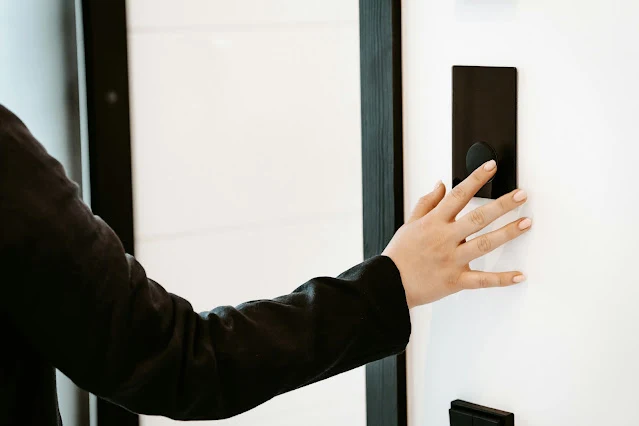
Smart locks look similar to regular door locks. The bolt and the locking mechanism work the same way. What is different is everything that happens before the bolt moves.
Instead of a physical key turning a cylinder, a smart lock receives a digital signal from your phone, your fingerprint, your face or a PIN, and uses an internal motor to do the work. That is the core of it, but there is more worth understanding before you choose one.
The Three Core Components
Every smart lock, regardless of brand or price, is built around three parts:
Mechanical lock
The physical bolt and locking mechanism. The smart features sit on top of it. They do not replace the physical security.
Motor
When authentication succeeds, the motor moves the bolt. Think of it as a motorized version of your hand turning a key. Most motors are small, quiet and battery-powered.
Control board
The brain of the lock. It contains the microcontroller, memory and firmware. Every input, whether a PIN, a fingerprint, a card or an app command, is processed here before the motor receives a signal.
How It Works: Step by Step
Every unlock follows the same five-step sequence, regardless of which access method you use:
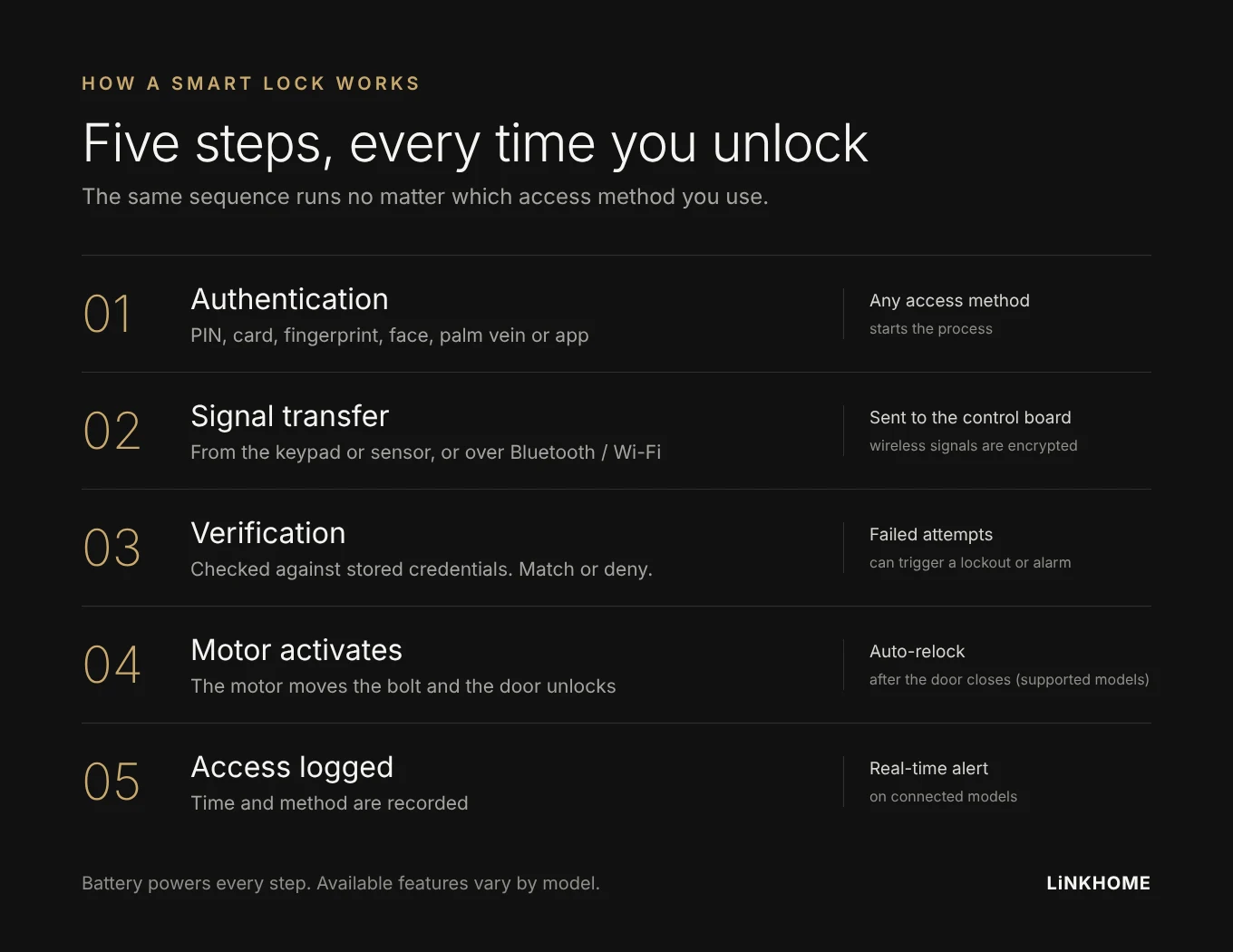
Step 1: Authentication request
You present a credential, such as a PIN, fingerprint, face, palm vein, card or smartphone app.
Step 2: Signal transfer
The credential is converted into a digital signal and passed to the control board, either directly from the keypad or sensor, or wirelessly over Bluetooth or Wi-Fi.
Step 3: Verification
The control board compares the signal with the stored credentials. If they match, the process continues. If not, access is denied and the attempt may be logged.
Step 4: Motor activates
The motor moves the bolt and the door unlocks. Many models relock automatically after the door closes.
Step 5: Access logged
On connected models, the time and method are recorded, and the owner can receive a notification on their phone.
Connectivity: How Smart Locks Communicate
The connection method decides what your lock can and cannot do remotely:
Bluetooth
Connects directly to your phone within a short range, typically around 10 meters. No internet is needed and battery use is low. Best for simple locking and unlocking nearby.
Wi-Fi
Connects to your home network, either through a built-in module or a separate gateway. Allows remote access from anywhere, but uses more power than Bluetooth.
Thread / Matter
A newer smart home standard designed to work across Apple, Google and Amazon ecosystems.
Z-Wave / Zigbee
Connects through a smart home hub. Reliable for integrated setups that do not depend on direct Wi-Fi.
| Connection | Remote access | Battery use | Best for |
|---|---|---|---|
| Bluetooth | No | Low | Local unlock |
| Wi-Fi | Yes | Higher | Remote control |
| Thread / Matter | Yes | Low | Smart home integration |
| Z-Wave / Zigbee | Via hub | Low | Hub-based smart home |
Supported connection types vary by model, so check the specifications before you buy.
Is a Smart Lock Secure?
This is the most common concern, and a reasonable one. These are the protections worth checking for:
Encrypted communication
Quality smart locks encrypt the signal between the phone and the lock, commonly with AES, so an intercepted signal cannot be read.
Local biometric storage
On many models, fingerprint and vein templates are stored on the lock itself rather than in the cloud, so the data does not leave the device. Ask the supplier how their models handle this.
Tamper and intrusion alerts
Many models sound an alarm or send an alert when someone tries to force the lock or enters wrong codes repeatedly.
Failed attempt lockout
Repeated wrong PINs trigger a lockout period, which helps prevent guessing attacks.
On a well-made smart lock, the digital security is rarely the weakest point. The door and frame still matter as much as the lock.
What Happens When the Battery Runs Out?
Most smart locks warn you well in advance with a low battery alert, through the app and often with a sound on the lock itself.
If the battery runs out completely, most models offer at least one fallback:
- Emergency power port: connect a power bank, often through USB Type-C, for enough power to unlock and replace or recharge the battery.
- Mechanical key: a physical key, usually hidden under a cover, for emergency access.
How Smart Locks Connect to a Smart Home
A smart lock works on its own, but connecting it to a wider system adds more:
- Video: see who is at the door, then unlock remotely.
- Lighting automation: unlocking the door turns on the hallway lights.
- Voice control: lock or unlock with a voice assistant on supported models.
- Access scheduling: set time-limited codes for cleaners, deliveries or guests.
The Bottom Line
The mechanism is simple: authentication, signal, control board, motor, bolt. What varies between models is the access method, the connection type and the security level.
For basic keyless access, a PIN or fingerprint model with Bluetooth gets the job done. For remote control and smart home features, look for Wi-Fi or Matter support. If security is the priority, ask about encryption and how biometric data is stored.
Understanding how it works makes the buying decision much easier.
Looking for a reliable smart lock for your market?
LiNKHOME supplies NEXT smart door locks to distributors, builders and brands. See our products or contact us for business inquiries.