

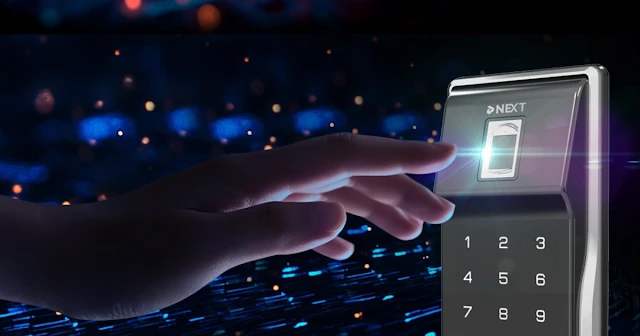
Choosing a smart lock usually comes down to one question: how do you actually want to open your door? Fingerprint, PIN and key card all get the job done, but they feel very different in daily use, and each has situations where it clearly wins or falls short.
This guide compares all three on speed, security, sharing and real-world reliability, so you can pick the one that fits how the door will actually be used.
Fingerprint Recognition
Place your finger on the sensor and the door opens, usually within about a second. No code to remember and no card to carry. Most models can store multiple fingerprints, so each family member can register their own.
Where it works well: Fast, key-free access for people who use the same door every day.
Where it falls short: Wet hands, very dry skin in cold weather or gloves can cause recognition failures, and lower-cost sensors are more affected. If you often come home from outdoor work or sports, fingerprint-only access can be frustrating.
Best for: Solo users, couples or families where everyone registers their own fingerprint.
PIN / Keypad
Enter a numeric code and the door opens. No device and no biometrics needed. Many smart locks let you create multiple codes, assign them to different people and, on supported models, set time limits for temporary access.
Where it works well: Sharing access is easy. Give someone a code and delete it when you are done. Weather, wet hands and gloves make no difference.
Where it falls short: Codes can be forgotten, passed on without permission or seen by someone standing nearby. Heavily used keypads can show wear on frequent digits. Anti-peep entry, where you add random digits before or after the real code, helps reduce this risk.
Best for: Rental properties, short-stay hosts, offices, or anywhere access needs to be granted and removed regularly.
RFID Key Card / Fob
Tap a card or fob against the lock and it opens. It works the same way every time, regardless of weather or physical condition.
Where it works well: Simple and reliable for people who find keypads or biometrics difficult, such as young children or elderly family members. It is easy to issue several cards and delete a lost one.
Where it falls short: Cards can be lost or forgotten, and basic RFID cards can be copied with inexpensive equipment. A lost card is a security risk until it is deleted from the lock. Encrypted cards reduce the copying risk.
Best for: Multi-unit buildings, offices, hotels, or households with elderly members or young children.
Side-by-Side Comparison
| Fingerprint | PIN | Key card | |
|---|---|---|---|
| Speed | Fast | Moderate | Fast |
| Loss risk | None | None (can be forgotten) | High |
| Sharing access | Needs in-person setup | Share a code | Issue a card |
| Weather impact | Yes (wet or cold) | None | None |
| Temporary access | Difficult | Easy | Moderate |
| Best for | Solo users, families | Rentals, guests | Offices, elderly users |
Which Method Fits Your Situation?

The Right Answer Is Usually a Combination
Most smart locks support two or more access methods at once. That is how you build a reliable setup.
Solo users or couples: Fingerprint as the primary method, PIN as a backup.
Families: Fingerprint for adults, PIN or card for children or elderly members who may struggle with biometrics.
Rentals and short stays: A time-limited PIN for each guest, with fingerprint for the owner.
Offices and shared spaces: Key cards for staff, PIN for administrators. Delete a card as soon as someone leaves.
Worth knowing: Some fingerprint sensors use self-learning recognition that adapts to small changes in your fingerprint over time, which helps with everyday reliability.
The Bottom Line
If speed and simplicity matter most and you use the lock yourself every day, fingerprint is hard to beat. If you regularly share access with guests, cleaners or tenants, PIN gives you the most flexibility. If your household includes people who find technology difficult, a key card is the simplest option.
Whatever you choose, always set a backup method. Relying on a single option, especially biometrics, leaves you exposed when conditions change.
Looking for a smart lock with multiple access methods?
LiNKHOME supplies NEXT smart door locks to distributors, builders and brands. See our products or contact us for business inquiries.